AdBlock for Samsung Browser
- 3.5
- Rating
- 10.00M
- Installs
- Free
- Price

 Analysis by App-foxy
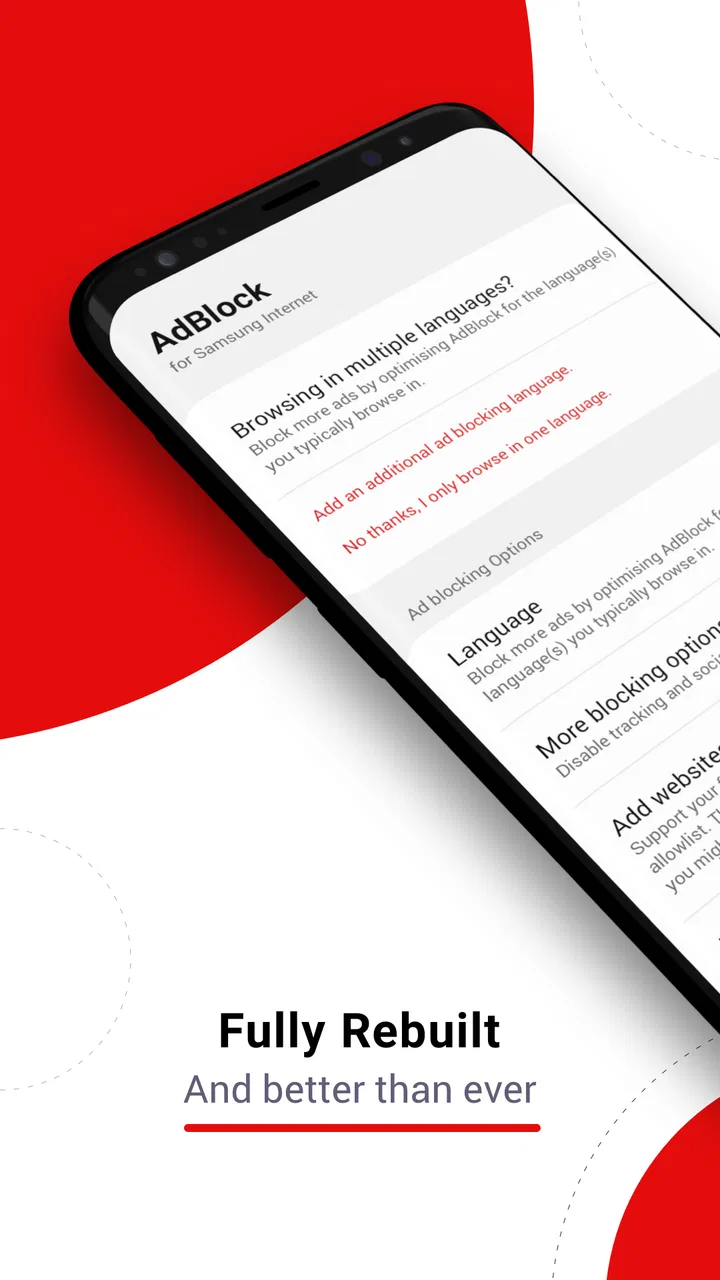
When I open Samsung Browser on a phone, I want the page itself to be the focus rather than a wall of banners, pop-ups, or animated advertising. That is the starting point where AdBlock for Samsung Browser makes sense. It is a free productivity app from Adblock, Inc., built specifically to remove annoying ads while I browse, reduce unnecessary page clutter, and potentially use less mobile data. It is not a general-purpose blocker for every browser or every app, and that narrow focus is both its main strength and its first important limitation.
I approached it as a practical tool rather than something I would constantly manage. The useful question is not whether an ad blocker sounds attractive, but whether this one fits the way you actually browse. If Samsung Browser is your everyday mobile browser, the dedicated design is convenient. If you move between several browsers, expect system-wide filtering, or need detailed control over individual websites, you may find the boundaries frustrating.
From a cluttered page to a cleaner browsing routine
I find the most useful way to judge this blocker is to follow a link the way someone in a shared household actually does: from a message, a recipe, or a school-related search into Samsung Browser. That makes it easier to see where a cleaner page helps—and where the app’s browser-specific role ends. From there, I’d look at how each person’s browsing setup stays consistent without assuming the app manages household accounts or settings.
You May Also Like

 Blood Strike: 2.5 Anniversary
Blood Strike’s Loadouts Turn Every Drop Into a Tactical Gamble
A close look at Blood Strike’s custom loadouts: how fast access to signature weapons reshapes its battle royale rhythm, rewards preparation, and narrows the gap between fights.

 Pandora - Music & Podcasts
Pandora’s Music Is Easy to Start, but Harder to Recover
Pandora’s strength is its low-effort path from a seed to a station. Its weak spot is how much confidence it asks you to place in connection, setup, and quiet recovery.

 8 Ball Pool
 Is Built on Rivalries, Rematches, and Routine
A close look at the rivalries, rematches, shared routines, and unanswered safety questions that turn a quick pool match into a persistent mobile community.

 Samsung Music
’s Quiet Strength Is Playing What You Already Own
Its reach comes less from spectacle than from dependable access to a personal library. That simplicity is both the app’s strongest retention engine and its ceiling.

 AccuWeather: Weather Radar
AccuWeather Review: A Quick, Clear Forecast for Everyday Decisions
For everyday plans, the best forecast is the one you can understand quickly. AccuWeather makes rain timing, radar, and local conditions easy to act on, with a few trade-offs.

 Hill Climb Racing
Why Hill Climb Racing Still Turns Crashes Into One More Run
A tiny car, a bumpy hill and one more upgrade: Hill Climb Racing keeps resurfacing because its simple chaos makes every near-miss feel personal.
More From Our News Desk



Starting with the right browser
The first step is simple but easy to overlook: this app is specifically for Samsung Browser. I would not install it expecting advertising to disappear from social apps, games, video applications, or another browser. Its job begins when a webpage is opened inside Samsung Browser, so the best setup is to make that browser the consistent starting point for ordinary web searches, reading, shopping, and reference work.
That distinction changes how I judge the app. A system-wide blocker can feel more powerful because it follows you across different apps, while a browser extension or browser with built-in blocking may offer a more integrated experience. AdBlock for Samsung Browser is more focused. For someone who already prefers Samsung Browser, that focus keeps the workflow straightforward instead of adding a complicated filtering system to the whole phone.
The app is free and suitable for everyone, which makes trying it low-risk. It supports devices running Android 5.0 or later, and its current version is 3.4.7. Those details matter most when deciding whether an older phone can use it. On a compatible device, the sensible approach is to install the app, open it, and follow the connection between the blocker and Samsung Browser rather than assuming that installation alone changes every browser session.
What happens during an ordinary browsing session
My practical workflow would look like this: I open Samsung Browser, visit a page that normally feels overloaded, and compare the reading experience before and after enabling the blocker. The useful outcome is not just fewer visible advertisements. A cleaner page can make headlines, buttons, menus, and article text easier to identify, especially on a small screen where one misplaced banner can push the content far below the fold.
That is where the productivity angle becomes believable. If I am checking a recipe while cooking, looking up a repair instruction, or reading a long article during a commute, I spend less time closing interruptions and hunting for the actual information. The app is not creating a new productivity system; it is removing one source of friction from a task I was already trying to complete.
There is also a practical data consideration. Advertising often includes images, scripts, and other page elements that I did not request for the task at hand. Blocking some of that material can help reduce needless loading, particularly when I am relying on mobile data. I would treat this as a useful possibility rather than a guaranteed saving on every page, because websites differ in how they deliver content and advertising.
A realistic everyday handoff
Consider a common situation: I receive a message containing a link to a product guide. I tap it, Samsung Browser opens, and I need to find one specification quickly. Without a blocker, the page may present a consent prompt, a floating promotion, several ad placements, and the information I actually need somewhere underneath. With AdBlock active, the handoff from the message to the browser is cleaner when the page’s advertising is compatible with the blocker.
The important handoff is from the app to Samsung Browser. AdBlock does not replace the browser, manage the message that delivered the link, or control the destination website. It works in the browsing stage. That makes it easy to understand, but it also means the final experience depends on the page, the browser, and the way the site has built its content.
For repeated tasks, I would make Samsung Browser my default place for web links and keep the blocker enabled before I need it. That avoids opening a cluttered page first and then wondering why nothing changed. It also gives me a consistent test: if a page looks different in another browser, that does not necessarily mean the app failed; it may simply be outside the app’s supported path.
How I would judge the result
The result I care about is a faster-feeling route from opening a page to completing the task. “Faster” here is not a promise that every webpage will load in a particular amount of time. It is the everyday impression created when fewer advertising elements compete for attention and fewer interruptions need to be dismissed manually.
On a news page, the benefit may be easier scanning. On a recipe page, it may be keeping the instructions visible while moving between steps. On a travel page, it may be finding opening hours without repeatedly closing promotional overlays. These are modest improvements, but they add up when browsing is part of a daily routine.
I also like the fact that the app’s purpose is easy to explain to another person: use Samsung Browser, enable the blocker, and browse with less advertising clutter. There is no need to learn a separate feed, account system, or complicated content workflow just to get the central benefit. That simplicity is particularly helpful for someone who wants a focused utility instead of a browser replacement.
Its popularity gives some context without changing my expectations. The app has passed ten million installs, and its average rating is 3.5 from roughly twenty-five thousand ratings. I read that combination as evidence of broad interest but also a reminder that the experience is not universally smooth. A blocker can be very useful on one person’s favorite sites and less impressive on another person’s regular pages.
Useful habits that are easy to miss
One useful habit is to test the blocker with the pages you actually use rather than judging it from a single dramatic example. Open a frequently visited reference page, an online store, and a media-heavy article in Samsung Browser. Look for the things that affect your real routine: whether the main text is easier to find, whether navigation remains clear, and whether the page still behaves normally.
A second insight is that blocking and readability are not always identical. Removing an advertisement can make a page cleaner, but some sites arrange their layout around advertising spaces. If the remaining content looks oddly spaced or a control becomes difficult to locate, I would not immediately assume the phone is at fault. The page may simply be handling blocked elements imperfectly.
A third practical tip is to keep an alternate route available for important pages. If a banking, ticketing, checkout, or sign-in page behaves strangely, temporarily using the normal browser experience may be more sensible than repeatedly refreshing. The goal is to finish the task safely, not to win an argument with a webpage. This is especially relevant when a site depends on scripts or page elements that a blocker may treat as advertising-related.
A fourth trade-off concerns websites that rely heavily on advertising to fund their content. Blocking can improve my personal browsing experience, but it may also remove part of the revenue model supporting a publication or service. I would use the tool thoughtfully: for pages that are aggressive, distracting, or difficult to read, it is valuable; for a site I trust and want to support, I may choose a different approach if the page offers one.
Where the workflow breaks
The first break occurs when I leave Samsung Browser. If I open a link inside another browser, launch an in-app web view, or expect advertisements inside unrelated apps to disappear, this app is no longer working in its intended environment. That limitation is not a small technical detail; it determines whether the app belongs on your phone at all.
The second break occurs when a website changes its layout or delivery method. No blocker can guarantee identical results across every site, and this app should not be judged as though it controls the entire web. Some pages may still show promotional elements, while others may lose a useful visual component along with an unwanted one. When that happens, the realistic response is to decide whether the cleaner page is worth the occasional adjustment.
The third break is personal preference. If you want detailed lists, extensive per-site rules, or a tool that operates across multiple browsers and applications, a more advanced alternative may suit you better. A browser with built-in blocking can be preferable if you want the feature tightly integrated into the browser itself. A system-level solution may be better for someone whose main annoyance comes from advertising outside web pages, although that brings its own setup and compatibility decisions.
There is also a maintenance question. The app has been available since January 25, 2016, and its current version is 3.4.7. I would keep an eye on whether it continues to behave well after Samsung Browser or Android updates, especially on an older device. If a page suddenly changes, first check that I am still browsing in Samsung Browser and that the blocker remains enabled before concluding that the app has stopped helping.
Who should use it, and who should skip it
I would recommend it to a Samsung Browser user who reads a lot on a phone, dislikes intrusive advertising, and wants a focused utility rather than a complete change of browsing habits. It is also a reasonable starting point for someone who has never used an ad blocker and wants to see whether cleaner pages make everyday tasks less tiring.
I would be more cautious if your browsing is spread across Chrome, Firefox, Samsung Browser, and links opened inside other apps. In that case, the app may solve only one part of the problem, and switching browsers just to obtain consistent blocking could be more annoying than the advertising itself. The same applies if you need fine-grained control over individual websites or expect every page element to remain perfectly intact.
Because the price is free, the decision mainly comes down to fit and tolerance for occasional website friction. The app’s Everyone age rating also makes it broadly accessible, but that does not mean every family’s browsing needs are the same. Parents looking for broader device controls, for example, should not confuse a Samsung Browser ad blocker with a complete content-filtering or supervision tool.
My final take after following the whole route
AdBlock for Samsung Browser succeeds when the workflow is narrow and consistent: I open Samsung Browser, visit ordinary websites, and want fewer distractions between the link and the information I need. Its best quality is that it addresses a specific annoyance without asking me to replace my browser or learn a complicated system. Cleaner pages, less visual noise, and potentially reduced data use are meaningful benefits in daily browsing.
Its weakness is equally clear. The app does not follow me everywhere, and its results depend on how each website is built. Some users will consider that acceptable because Samsung Browser is already their main browser. Others will quickly outgrow it and prefer a browser-level or broader filtering option.
My recommendation is to treat it as a focused Samsung Browser companion, not a universal privacy or phone-wide blocking solution. If your starting condition matches its intended environment, the handoff from a link to a readable page can become noticeably less irritating. If your browsing habits cross several apps and browsers, choose a tool designed for that wider route instead.
FAQs for AdBlock for Samsung Browser
01What is AdBlock for Samsung Browser and how does it work?
AdBlock for Samsung Browser is an extension specifically designed for Samsung's internet browser. It works by filtering out unwanted advertisements and pop-ups, thus enhancing your browsing experience. The app uses a list of known ad sources and blocks them before they load, making web pages cleaner and faster to load.
02Is AdBlock for Samsung Browser free to use?
Yes, AdBlock for Samsung Browser is free to download and use. While it offers essential ad-blocking features at no cost, some advanced options or updates might require in-app purchases or subscriptions. Always check the app details on the Google Play Store for any pricing information.
03Does AdBlock for Samsung Browser affect website functionality?
While AdBlock for Samsung Browser aims to block only ads, it could occasionally interfere with website functionality, especially on sites that use ads for certain interactive features. Most users find the benefits outweigh the occasional need to whitelist a site. You can easily adjust settings to allow ads on specific sites if needed.
04How do I install AdBlock for Samsung Browser?
To install AdBlock for Samsung Browser, visit the Google Play Store on your Samsung device. Search for the app and tap 'Install.' Once installed, open your Samsung Internet browser, go to 'Extensions' in the menu, and enable AdBlock. This process is straightforward and usually takes just a few minutes.
05Is AdBlock for Samsung Browser safe to use?
AdBlock for Samsung Browser is generally considered safe, as it doesn’t collect personal data or browsing history. However, like any app, it's crucial to download it from official sources like the Google Play Store to ensure you're getting the legitimate, secure version. Regular updates help maintain security and efficiency.
Pros
- Seamless integration with Samsung Browser.
- Reduces page load times noticeably.
- Customizable filter lists available.
- Improves overall browsing safety.
- User-friendly interface and setup.
Cons
- Limited to Samsung Browser only.
- May block some useful site content.
- Occasional updates needed for filters.
- Consumes slight additional battery.
- Not compatible with all websites.

AdBlock for Samsung Browser
Gallery